Posts

Showing posts with the label nfs-cartoolkit

NFS-CarToolkit v3.1 released

This update addresses Wavefront (.OBJ) and ZModeler (.Z3D) issues reported by users. Wiki Download The tool requires Microsoft Visual C++ Redistributable: https://aka.ms/vs/16/release/vc_redist.x64.exe https://aka.ms/vs/16/release/vc_redist.x86.exe Windows 7 requires the following update to be installed: https://www.microsoft.com/en-us/download/details.aspx?id=36805

NFS-CarToolkit v3.0 released

Image

NFS-CarToolkit v2.8 released

Image

NFS-CarToolkit v2.7 released

The updated version has been released.

NFS-CarToolkit v2.6 released

The updated version has been released. The update mainly solves the problem of transparent textures.

NFS-CarToolkit v2.5 released

Image

NFS-CarToolkit v2.0 released

Image
Major update of NFS-CarToolkit is available.

NFS: World Citroën GT Released

Image
NFS World - Citroën GT v1.0 by nfsu360 The world's first community created custom car modification for Need for Speed World.

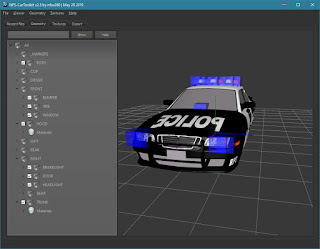
NFS-CarToolkit 2 - Rockport Police Mod - released

Image
Rockport Police v1.0 by nfsu360 Album

NFS-CarToolkit - World support

Image
NFS-CarToolkit - added support for NFS World. The world's first fully compatible car mod - GT by Citroen (Robin7t4).

NFS-CarToolkit v1.0 released

Image
NFS-CarToolkit is a universal tool that allows you to create car mods for Speed games. Main features of version 1.0: Loading GEOMETRY.BIN and TEXTURES.BIN files from all Speed games (Underground, Underground 2, Most Wanted, Carbon, ProStreet, Undercover and World), Loading mods from the following 3D formats: Wavefront .OBJ, ZModeler v1.x, Geometry and texture viewers, Exporting the loaded geometry objects to the Wavefront .OBJ format, Exporting the loaded textures as Direct Draw Surface .DDS files, Exporting  GEOMETRY.BIN & TEXTURES.BIN compatible with Undercover  (the list of supported games will be increased in the next update) The user interface has 4 sections: Recent files – list of files / folders that have been used recently. You can clear out invalid, for example moved or deleted, entries by clicking the Clear non-existing button. There is an option to remove all entries too (the Clear all button). To load any entry just double click on i...