Posts

Showing posts with the label most wanted

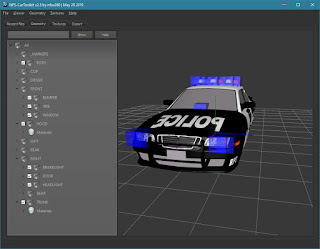
NFS-CarToolkit v3.1 released

This update addresses Wavefront (.OBJ) and ZModeler (.Z3D) issues reported by users. Wiki Download The tool requires Microsoft Visual C++ Redistributable: https://aka.ms/vs/16/release/vc_redist.x64.exe https://aka.ms/vs/16/release/vc_redist.x86.exe Windows 7 requires the following update to be installed: https://www.microsoft.com/en-us/download/details.aspx?id=36805

NFS-CarToolkit v3.0 released

Image

NFS Most Wanted - Palmont City v1.0 Released

Image
Click here to view the album

NFS-CarToolkit v2.8 released

Image

NFS-CarToolkit v2.7 released

The updated version has been released.

NFS-CarToolkit v2.6 released

The updated version has been released. The update mainly solves the problem of transparent textures.

NFS-CarToolkit v2.5 released

Image

NFS-CarToolkit v2.0 released

Image
Major update of NFS-CarToolkit is available.

NFS-CarToolkit 2 - Rockport Police Mod - released

Image
Rockport Police v1.0 by nfsu360 Album

NFS Most Wanted - High Quality Vinyls v1.0

Image
Vinyls have been ported from the Xbox 360 version. The mod applies to all cars.

NFS-Toolkit #7 - Nevada Highway (ProStreet) to Most Wanted conversion

Image
Next successful conversion, this time is one of the tracks from ProStreet - Nevada Highway. The police helicopter is doing quite well in the new map.

NFS-Toolkit #5 - Map conversion from Carbon to Most Wanted

Image
Recently made progress allows to finally test one of the biggest advantages of the tool - map conversion between EAGL games. First ever made conversion was from NFS Carbon to NFS Most Wanted because those two games are very well supported by the tool. Missing things (animations, traffic) will be successively added.

NFS-Toolkit #3

Image
Video showing the capabilities of the tool I am currently working on. The entire map and collisions were generated by NFS-Toolkit on the basis of a .obj file exported by Blender.

NFS-Toolkit #2

Image
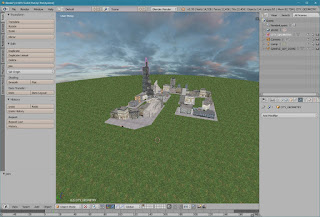
Significant progress has been made since the last update. The toolkit has ability to import Wavefront .obj files (exported using default settings in the Blender software). The sample mod created in the Blender: The city model was downloaded from: https://free3d.com/3d-model/the-city-39441.html The view of imported mod: There are no naming restrictions so textures and objects have the same names as in the .obj file. Textures are imported directly from the material file generated by the Blender's obj exporter. Here are some screenshots from the game:

NFS:MW ModTools Announced

Image
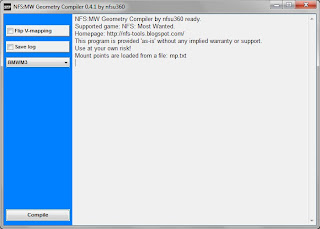
NFS:MW Geometry Compiler features: - supports  .obj format - supports .z3d format - automatically converts the names to uppercase - car selection (automatically adding prefix) - optimisation of compilation