NFS: ProStreet is now fully supported by NFS-Toolkit. Here is the video that shows fully working sample map on the game's engine. The map has different surfaces and it works in cut-scenes.
Next conversion has been done. This time in the opposite direction, from NFS Most Wanted to Carbon. At the moment the city looks a bit abandoned because of missing lighting and traffic.
Recently made progress allows to finally test one of the biggest advantages of the tool - map conversion between EAGL games. First ever made conversion was from NFS Carbon to NFS Most Wanted because those two games are very well supported by the tool. Missing things (animations, traffic) will be successively added.
Video showing the capabilities of the tool I am currently working on. The entire map and collisions were generated by NFS-Toolkit on the basis of a .obj file exported by Blender.
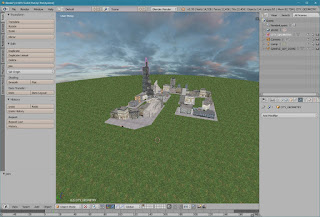
Significant progress has been made since the last update. The toolkit has ability to import Wavefront .obj files (exported using default settings in the Blender software). The sample mod created in the Blender: The city model was downloaded from: https://free3d.com/3d-model/the-city-39441.html The view of imported mod: There are no naming restrictions so textures and objects have the same names as in the .obj file. Textures are imported directly from the material file generated by the Blender's obj exporter. Here are some screenshots from the game:
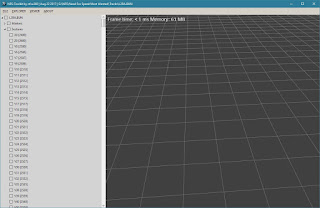
NFS-Toolkit is under intensive development. It will be a unified tool which will allow to create a cars and whole game's world. At the moment only Need For Sped Most Wanted is almost (I am still working on the .OBJ import functionality) fully supported so all examples are related to this game. The screenshot below shows how the user interface looks like: Current version allows to load only the selected part of the game world. This will speed up game modding and minimize the required resources. But of course nothing prevents to load even a whole world (except resources). It's possible to delete map parts (sections). In the example below all sections except 'Q16' and 'Y' were deleted. The 'Y' sections contain textures only. Another function that already works is the saving function. The screenshots below show the result of the delete operation in the game: Next thing that works is the .OBJ export function. The exported file can be opened ...