Posts

Showing posts with the label release

NFS-CarToolkit v3.1 released

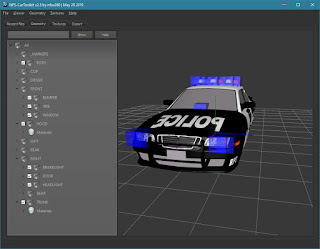
This update addresses Wavefront (.OBJ) and ZModeler (.Z3D) issues reported by users. Wiki Download The tool requires Microsoft Visual C++ Redistributable: https://aka.ms/vs/16/release/vc_redist.x64.exe https://aka.ms/vs/16/release/vc_redist.x86.exe Windows 7 requires the following update to be installed: https://www.microsoft.com/en-us/download/details.aspx?id=36805

NFS-CarToolkit v3.0 released

Image

NFS Most Wanted - Palmont City v1.0 Released

Image
Click here to view the album

NFS-ModManager v2.0 released

Image

NFS-CarToolkit v2.8 released

Image

NFS-CarToolkit v2.7 released

The updated version has been released.

NFS-TexEd v1.5.1 released

Image
An updated version of NFS-TexEd has been released.

NFS-CarToolkit v2.6 released

The updated version has been released. The update mainly solves the problem of transparent textures.

NFS-CarToolkit v2.5 released

Image

NFS-CarToolkit v2.0 released

Image
Major update of NFS-CarToolkit is available.

NFS: World Citroën GT Released

Image
NFS World - Citroën GT v1.0 by nfsu360 The world's first community created custom car modification for Need for Speed World.

NFS-ModManager v1.1 released

Image
Now the app supports Unicode paths. Download

NFS-VltEd v4.6 released

Image
The updated version has been released.

NFS-Disculator v1.0 Released

Image
NFS-Disculator it's a tool that allows to extract content of console version of NFS game (using ZDIR.BIN).

NFS Most Wanted - High Quality Vinyls v1.0

Image
Vinyls have been ported from the Xbox 360 version. The mod applies to all cars.

NFS-TexEd v1.1 beta Released

Image
NFS-TexEd version 1.1 beta is available!

NFS-TexEd v1.0 beta Released

Image
New NFS-TexEd version is available! Replaced ads

NFS Carbon - Rockport 1.0 Released

Image

NFS-ModManager v1.0 Released

Image
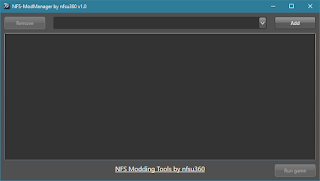
NFS-ModManager - it's a tool that allows to manage mods in very easy way. The main feature is to load mods from subfolder instead of direct modification of game files. Usage: First thing that needs to be done is initial configuration. By using the Add button you can populate games you want to manage. Game will be automatically selected. The Remove button will delete selected game from the list. When the game folder won't contain any mods default entry will be displayed as follows: You can notice that the text is a hyperlink, it means that you can click on it to open the MODS folder. Mod installation is very simple - to install the mod you have to just copy mod folder into the MODS subfolder, for example 'installed' Rockport v1.0 will look like this: When the mod is copied just go back to the tool. Mod list will be automatically reloaded so the Rockport v1.0 mod will be visible instead of the default entry. That's all. The mod is installed and ...

NFS-VltEd v4.5 Released

Image
New features and improvements in this release: Many fields now have names instead of just numbers Automatic insertion of new line at the end of the ScriptEditor New Collection Editor fully integrated with the ScriptEditor Improved Find function. Added the possibility to search in Nodes, Fields and Values Added ability to configure visual and collision model in the MODEL field Now the ModScript supports checkboxes and radiobuttons. It allows to select which features of the mod will be installed. Mods are not now installed automatically but only after clicking on the Install button. Fully supported 64-bit hash algorithm (Most Wanted) Dark Theme minor improvements Added new hashes and many minor improvements Issues fixed in this release Incorrect expansion of base fields outside the range, for example: resize_field pursuitlevels heat_06 cops -100 Shifting sound disappeared after the database was saved (Most Wanted, Carbon) Camera issue in a...